Why We Started Cobblestone POS
The story behind the POS, built while running a real shop.
Restaurant POS system · Available nationwide
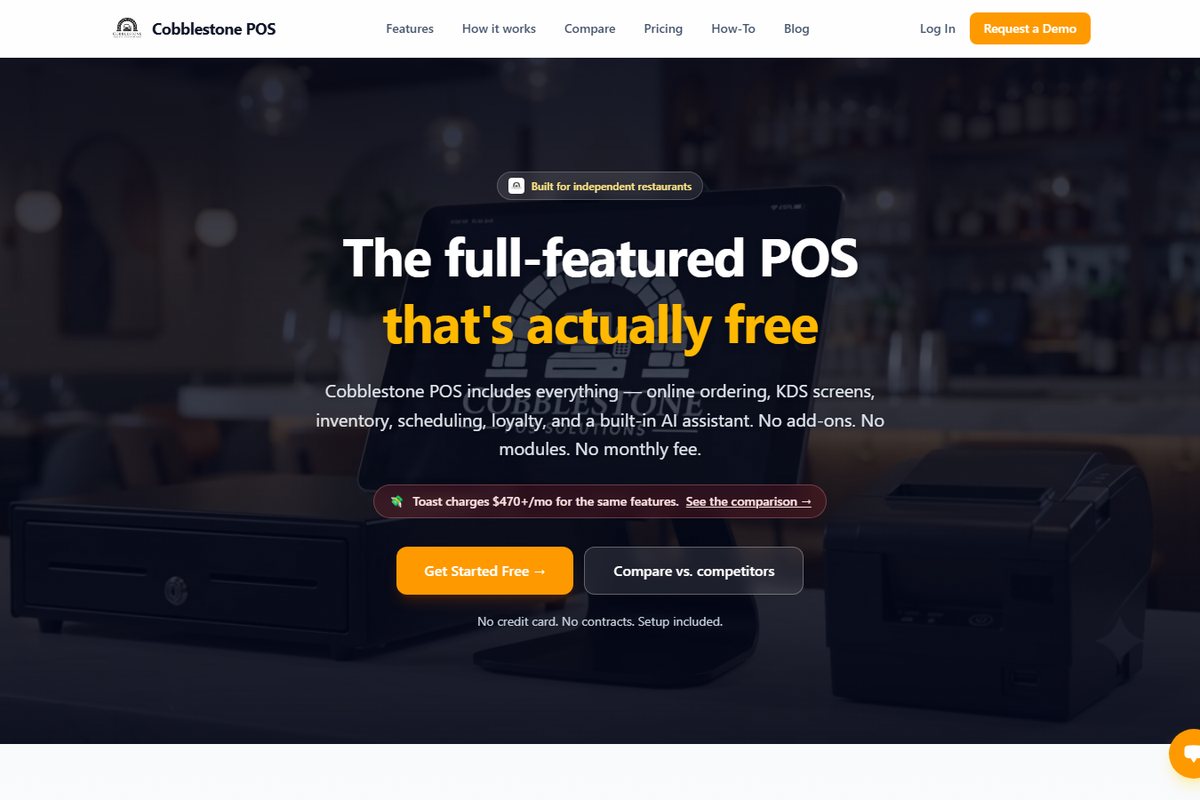
Cobblestone POS gives independent restaurants point of sale, commission-free online ordering, kitchen display screens, inventory, scheduling and loyalty for $0 a month, with Daisy, an AI operating partner, built in to draft the schedule, read the invoices, post the specials and brief you every morning. No add-on modules, no contracts, setup included. Built by a 25-year operator to run his own shops, and available to restaurants anywhere in the United States.
What's included
Most restaurant POS systems start with a base fee and add a module for everything else: online ordering, a kitchen screen, inventory, scheduling, loyalty. Cobblestone POS includes all of it in one system, with Daisy built in. Unlimited terminals, unlimited KDS screens, no “plus” tier.
Who it's for: Independent restaurants, cafes, food trucks and ice cream shops that are tired of paying Toast-style monthly fees.
Drafts the schedule from sales forecasts, reads vendor invoices, posts specials to Facebook and Instagram, 86s sold-out items and briefs you every morning on yesterday’s sales. You approve everything.
Your own branded ordering site. No Grubhub, no commission cuts.
Ticket timers, alerts and text notifications when orders are ready.
Build shifts, track labor in real time and export payroll-ready reports.
Forward invoices by email; the POS reads them and updates your cost of goods.
Delivery zones with a live map, plus scheduled catering orders.
Daily dashboards and category breakdowns without waiting for the end of the week.
Points at checkout, and Daisy posts the specials to Facebook and Instagram.
Meet Daisy
Daisy isn’t a chatbot bolted onto a register. She lives inside Cobblestone POS, so she knows your menu, your staff, your sales history and your inbox. Ask her a question about your business and you get a straight answer. Hand her a job and it gets done. Idea at 11:30 at night? Text her from bed and it’s done when you get up. She’s included at $0.
Yesterday’s sales, ready before you unlock the door.
From availability and sales forecasts, and flags when you’re overstaffed before it hurts your margins.
Forward vendor invoices and receipts; she processes them and your costs update.
Writes the post, designs the graphic in Canva and publishes to Facebook and Instagram.
Run out of something and she pulls it from the menu and posts the announcement.
Researches local competitors and suggests campaigns worth running.
How a free POS makes money
Cobblestone POS doesn't charge a subscription, per-module fees, per-terminal fees or per-screen fees. Card payments run through our gateway partner NMI, and a small margin on processing is how the business is paid. Your processing rate is quoted up front, so you can compare it with what you pay today before deciding.
Hardware (a tablet, a receipt printer, a card reader) is the only optional cost, and only if you don't already own it.
What a restaurant POS really costsCompare
The software fees add up fast once you turn on the features a working restaurant needs. Here is the same feature list priced four ways.
| Feature | Cobblestone POS | Toast | Square | TouchBistro |
|---|---|---|---|---|
| Core POS software | $0 | $69/mo | $49/mo | $69/mo |
| Online ordering | $0 | $75/mo | $35/mo | $50/mo |
| Kitchen display (KDS) | $0 | $25/screen/mo | $20/screen/mo | $25/screen/mo |
| Delivery management | $0 | $50/mo | Add-on | Add-on |
| Inventory control | $0 | $75/mo | $60/mo | Add-on |
| Employee scheduling | $0 | $50/mo | $35/mo | Add-on |
| Loyalty program | $0 | $50/mo | $45/mo | $99/mo |
| Estimated monthly software total | $0 | $350+ | $250+ | $243+ |
| Estimated annual software total | $0 | $4,200+ | $3,000+ | $2,916+ |
Competitor figures are from public price lists as published on cobblestonepos.com/compare (May 2026) and assume a base plan plus online ordering, one KDS screen, inventory, loyalty, scheduling and advanced reporting. Vendors change pricing often and quote processing rates individually, so confirm current numbers on each vendor’s site. Card processing is extra with every system listed, including ours.
Built for counter-service independents
Cobblestone POS was written behind the counter of a 13-location quick-service chain and an ice cream shop. It fits best where speed, modifiers, online orders and repeat customers decide the month.
Ask if it fits yoursUnlimited terminals, KDS timers, order-ready texts.
Delivery zones on a live map, commission-free online ordering.
Fast modifiers, loyalty at checkout, order-ahead.
A tablet and a hotspot. Nothing to pay in the off-season.
The shop it was built in. Seasonal-friendly.
How it works
Share your restaurant name and owner email. We provision the account and send a welcome email with a setup link; you're in within minutes.
Set your branding, add your address, build your menu and invite your team. All guided, no IT required. Switching from another POS? Menu migration is included.
Open the POS app on your tablet, turn on your online ordering site, and introduce yourself to Daisy. Ask her for next week’s schedule or this weekend’s specials post.
Watch
The story behind the POS, built while running a real shop.
Delivery fees and zones, then the full order flow from lookup to checkout.
Find any order fast and void it the right way.
Taking, scheduling and managing catering orders.
Stock levels, weekly counts and vendor invoices.
Set ticket timers and alerts on the kitchen screen.
Customize receipts and order-ready text messages.
FAQ
Yes. The software is $0 a month with every feature turned on: point of sale, online ordering, kitchen display screens, inventory, scheduling, loyalty, reporting and Daisy, the AI operating partner. There are no add-on modules and no per-terminal or per-screen fees. We earn a small margin on card processing instead of charging a subscription. See how the pricing works.
Card payments run through our gateway partner NMI (Network Merchants, LLC). Your rate is quoted up front for your restaurant before you sign up, so you can compare it line by line against what you pay today. There is no separate software fee per transaction.
No contract, no setup fee and no credit card needed to start. Setup and onboarding are included. If it isn't working for you, you can leave.
Yes. Cobblestone POS is a web-based system that runs on a tablet, and accounts are provisioned and set up online, so a restaurant in Texas or Oregon gets the same setup as one down the street from us in Evansville. Support is a phone call or text away.
A tablet for the POS app, a screen or tablet for each kitchen display you want, a receipt printer and a card reader. Hardware is the only cost that isn't $0, and many shops reuse what they already own. Tell us what you have before you buy anything.
Yes. Menu and account setup are included, and most restaurants are fully live within a day. Check your current contract for any early-termination terms first. Our switching guide walks through the whole process.
No. You get your own branded ordering site, and orders flow straight to the POS and kitchen screens. There is no per-order commission, unlike third-party marketplaces that take a percentage of every ticket. More on online ordering.
Daisy is the AI operating partner built into Cobblestone POS. From a plain chat she builds and adjusts the schedule from sales forecasts, reads vendor invoices and receipts, posts to Facebook and Instagram with Canva-designed graphics, 86s items and announces it when you run out, researches local competitors to suggest campaigns, and gives you a morning briefing on yesterday’s sales. You approve before anything goes out. Everything Daisy does.
Yes. You can draw delivery zones on a live map with their own fees, and take scheduled catering orders alongside regular tickets.
Yes. Book a 30-minute walkthrough and Jason will show you the system on a live account, using your kind of menu, and answer the hard questions about processing and hardware.
Who built it
Jason Dicken spent 25 years opening and running restaurants: the 13-location Spudz n Stuffs chain, then Cobblestone Creamery, which he built, systematized and sold. Cobblestone POS is the software those shops ran on, because nothing off the shelf fit a small restaurant without monthly fees eating the margin. He still answers the demo requests himself.
Meet JasonKeep reading
Works with
Class sign-up